






Chad’s Blog
Pragmatic Technologies for Life and Business Success®

Have you ever been stuck inside an app on your phone and could not figure out where a setting lives, how a feature works, or what to tap next. Or stared at a gadget, a label, or a screen in a store, museum or online and thought, I know this matters, but I have no idea what I am looking at.
That problem is effectively gone.
ChatGPT’s audio input, voice mode, broadcast mode, and camera mode turn your phone into a live, interactive problem solver. Not a search engine. Not a chatbot. A real time assistant that sees what you see and responds while you work.
Let me show you how this actually works.
How to Get Real Time Help Inside Any App
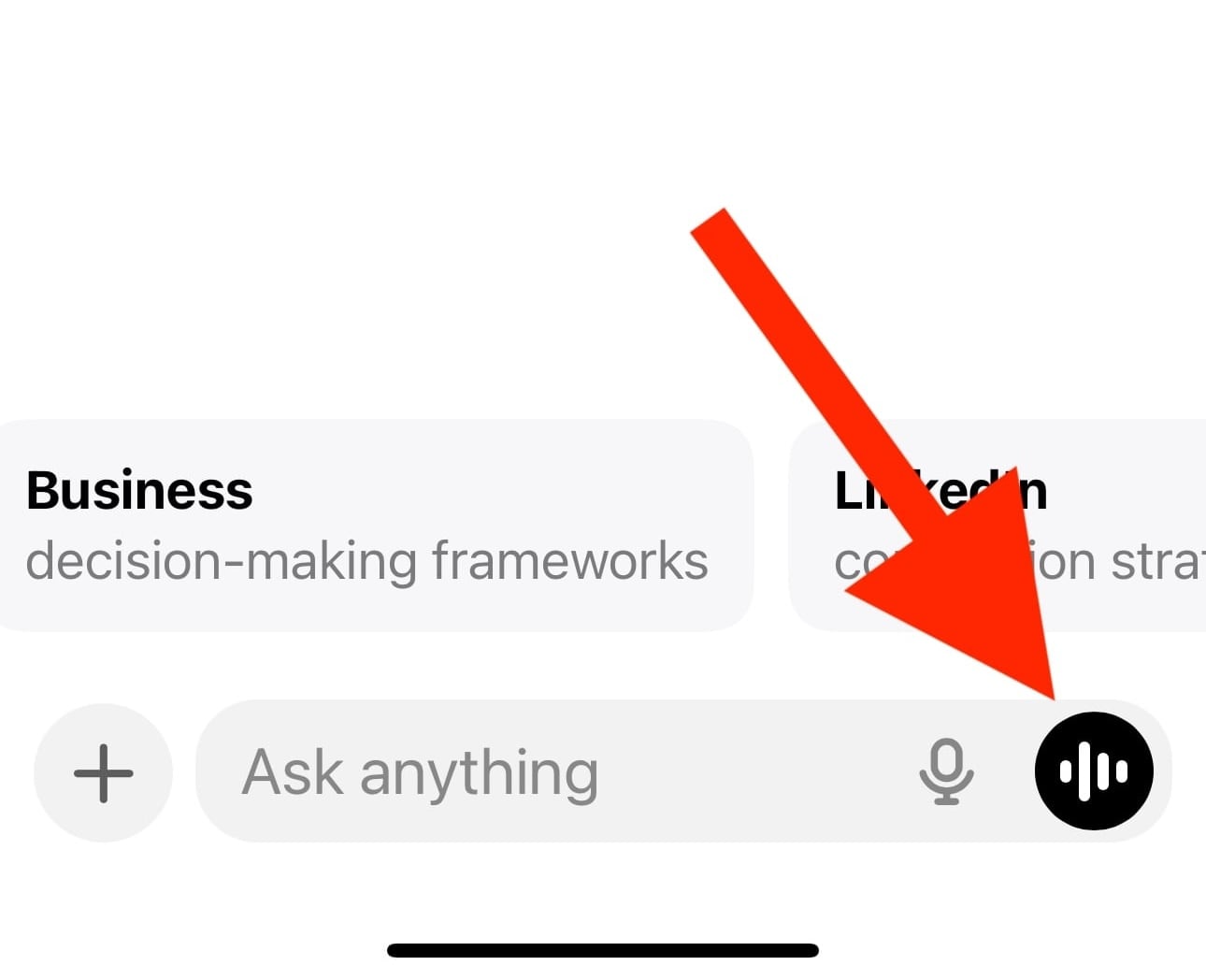
First, tap the audio input or voice mode icon in the ChatGPT mobile app.
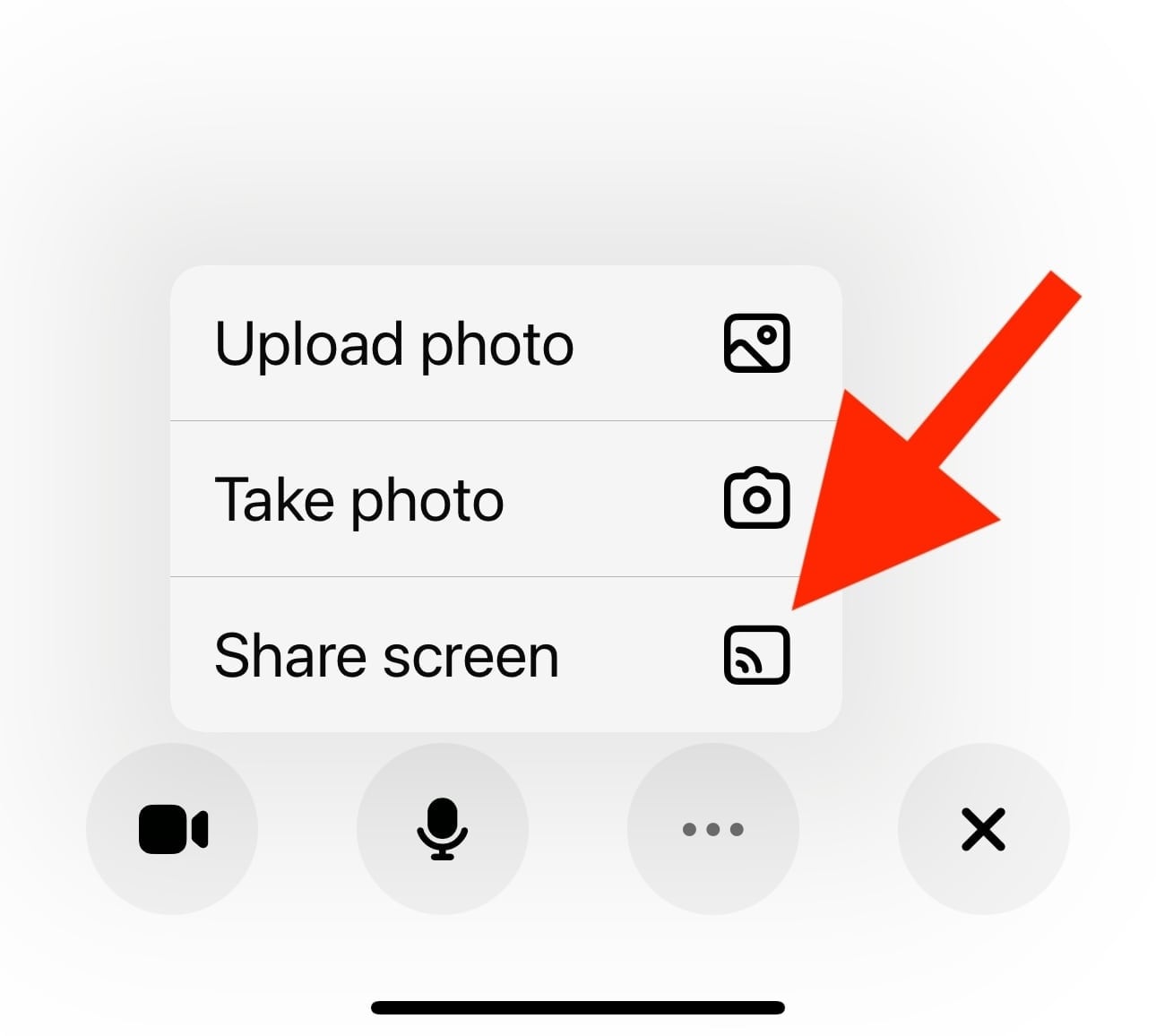
Next, tap the three dots.

Select Share screen.
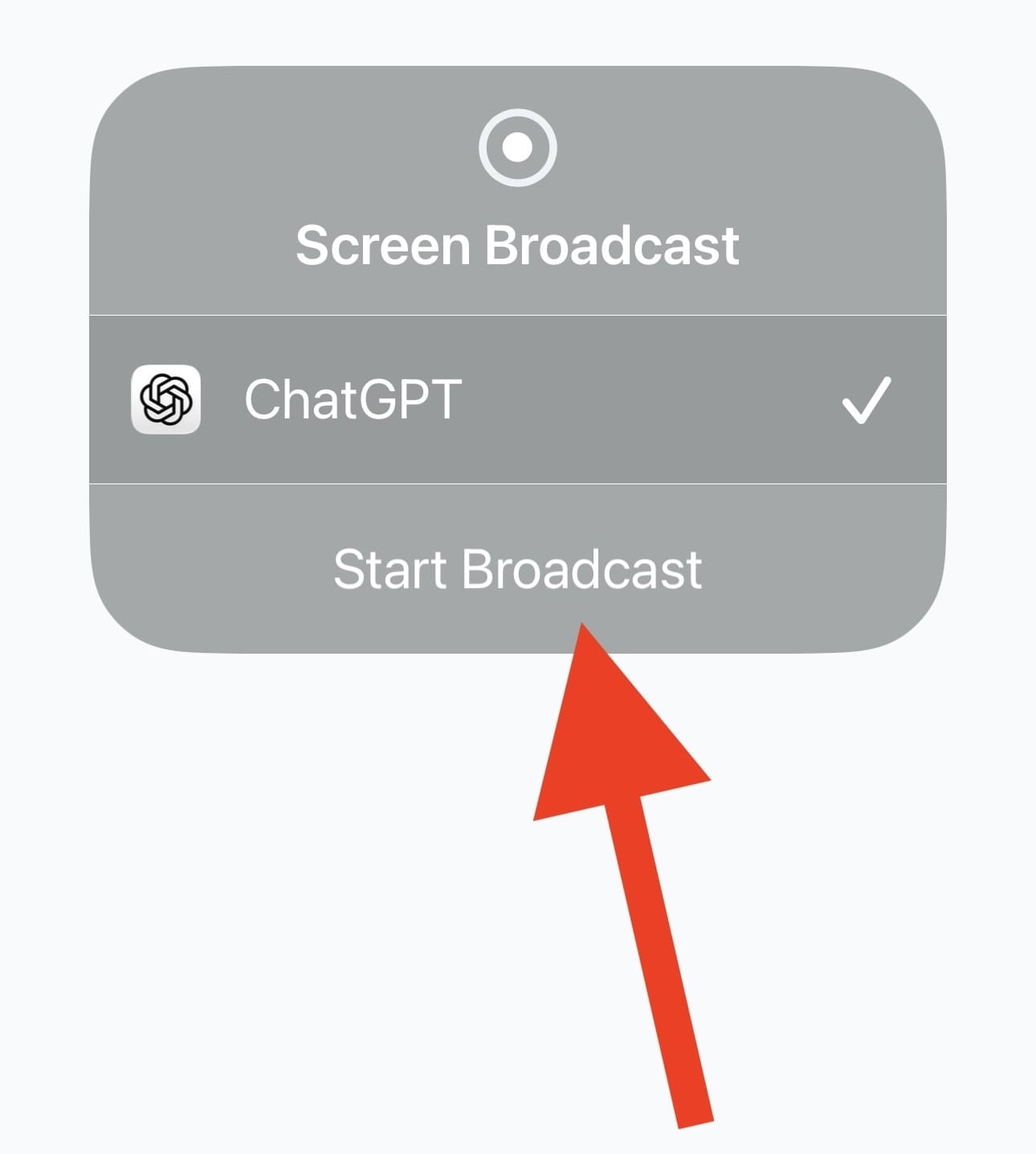
Then tap Start Broadcast.
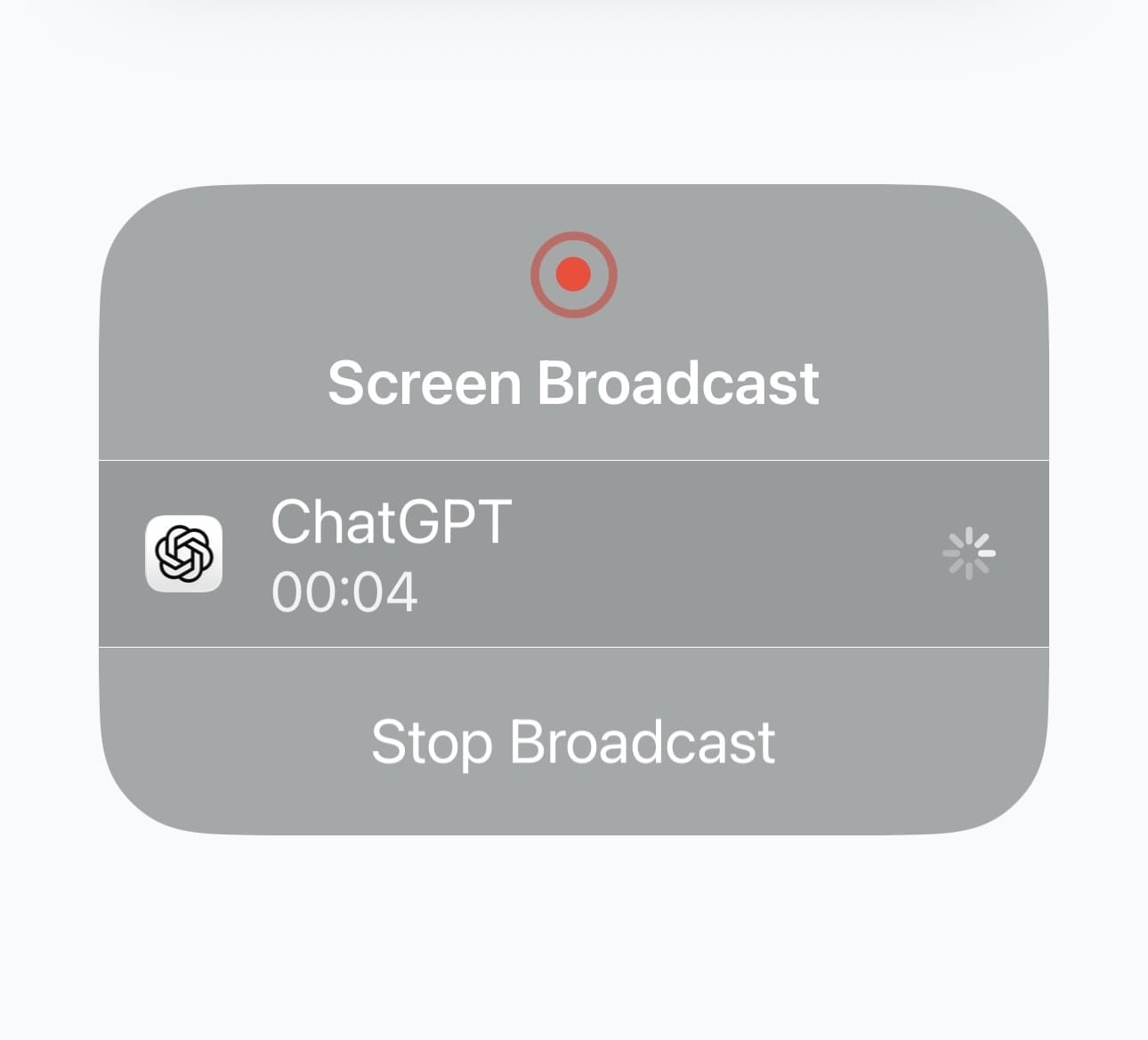
You will see a confirmation screen showing you are now in Broadcast mode.
This is where it gets powerful.
You can now swipe and access any screen which is also viewed by ChatGPT and ask it questions about anything happening on your screen. App functionality. Settings. Workflows. Confusing menus. Features buried three levels deep.
Ask a question like, how do I improve battery performance on this phone. ChatGPT will walk you step by step through the exact screens you are looking at.
If something is still unclear, keep asking. You are no longer guessing or bouncing between help articles. You are getting guided, contextual answers in real time.
When You Want Answers About What You Are Looking At
Now for the second capability, and this one feels borderline as an unfair advantage.
Tap the audio input or voice mode icon again, then tap the video icon.

Point your camera at whatever you want explained.
A gadget in a store. A nutrition label. A dashboard in your car. A piece of equipment.
An online screen display. A sign, document, or interface. A photo in a museum.
Ask your question out loud.
ChatGPT analyzes what it sees and explains it. What it is. What matters. How to use it. What to watch out for.
This is not novelty. This is leverage and power.
Why This Matters for Professionals
This changes how fast you move and how fast you gain answers to your questions.
Less friction. Less context switching. Less mental drag.
You do not stop working to go look things up. You ask while doing the work.
Once you experience this, your expectations change.
What to Do Next
Experiment with this today. Invest a few minutes to feel the shift.
The AI Insider Lab is launching this month, and it is built for professionals who want practical leverage, not AI noise and hype.
If you want to go much deeper into using AI as a real operating advantage in your business, reply to this email (if you haven’t already) with JOIN.
Looking forward to seeing you on the inside soon,
Chad